Cache Manager
Keep your website fast and current by controlling how often Index render refreshes your pages.
Overview
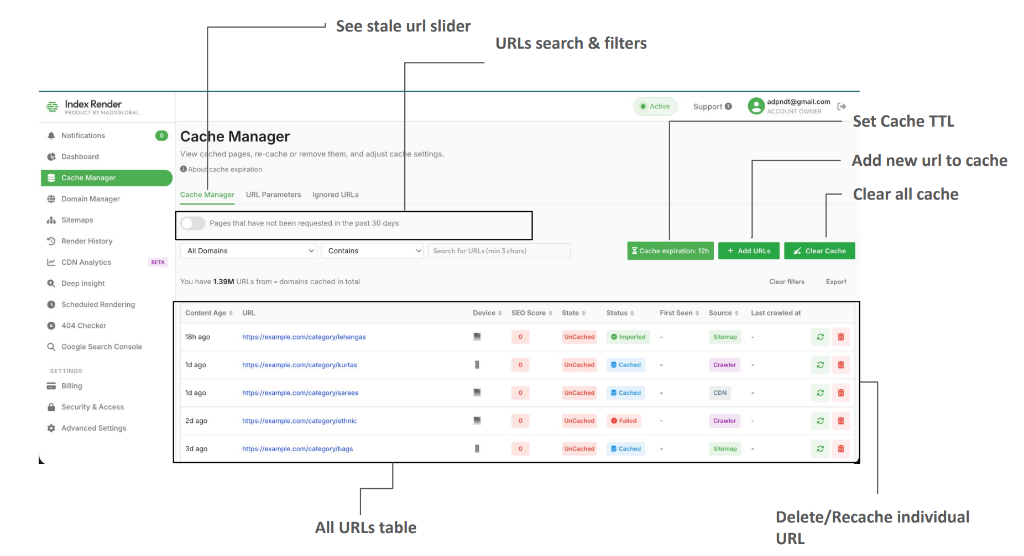
Add URLs
Under the Cache Manager menu, click Add URLs above the table to uniquely add URLs to the cache.
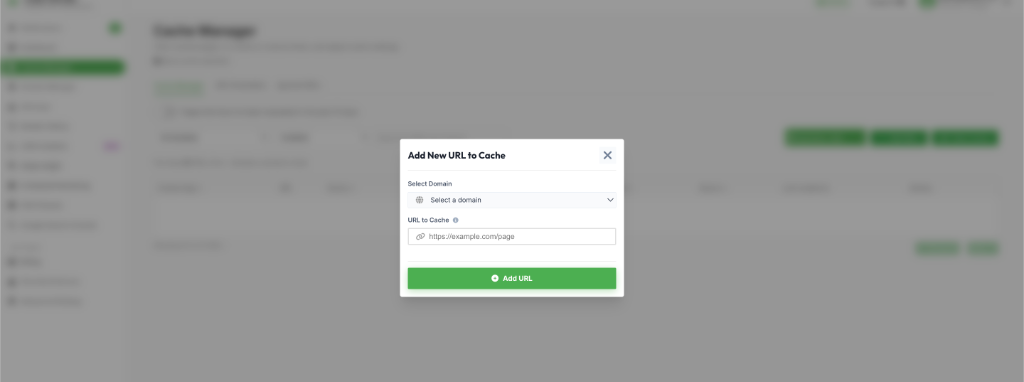
- Select the domain you want to cache the URL for.
- Enter the complete URL.
- Click Add URL to begin the caching process.
URL Parameters
This feature allows you to choose which URLs containing query parameters should be cached under the corresponding canonical URL to reduce the number of cached pages. This prevents unnecessary duplicate renderings for tracking links.
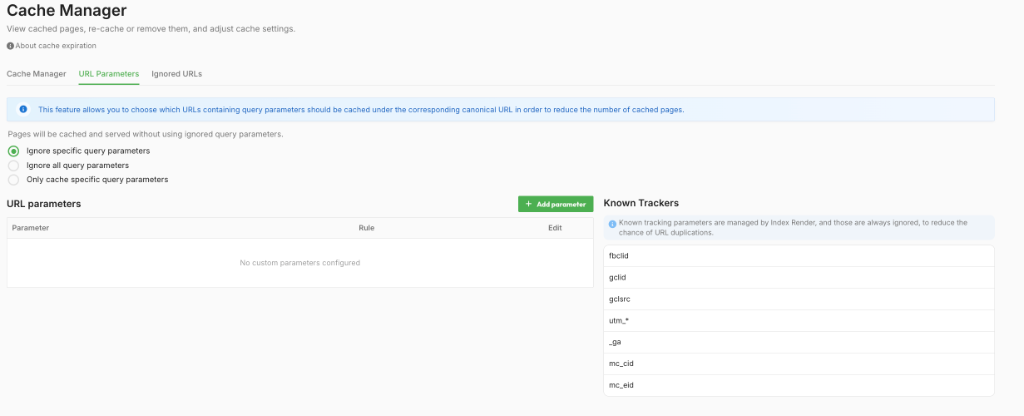
Adding a Parameter Rule
Click Add parameter to define how a specific query parameter should be handled:
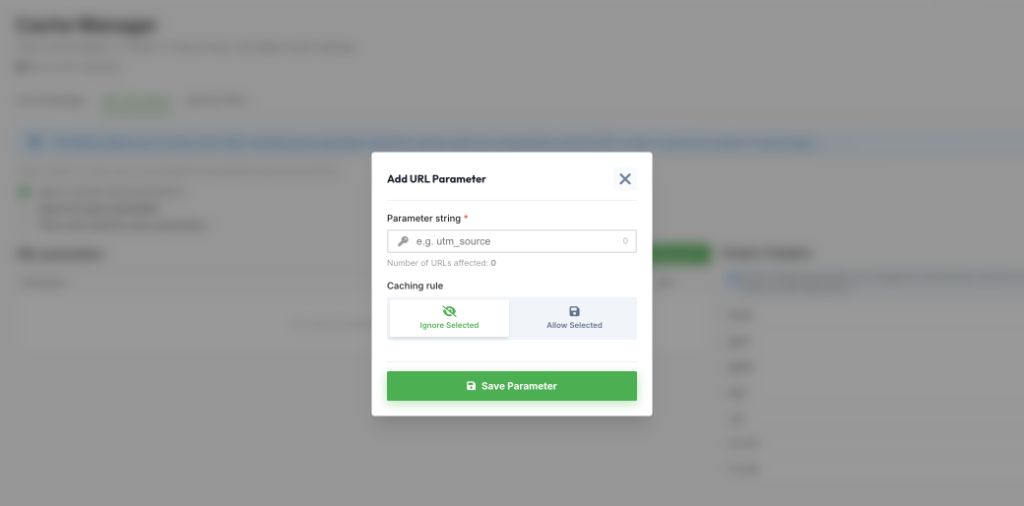
- Enter the parameter string (e.g.,
utm_source). - Choose Ignore Selected to strip this parameter before caching (recommended for trackers).
- Choose Allow Selected to treat the URL as unique if it contains this parameter.
Ignored URLs
To intentionally prevent specific parts of your website from being cached (such as admin panels or private directories), configure ignored URLs.
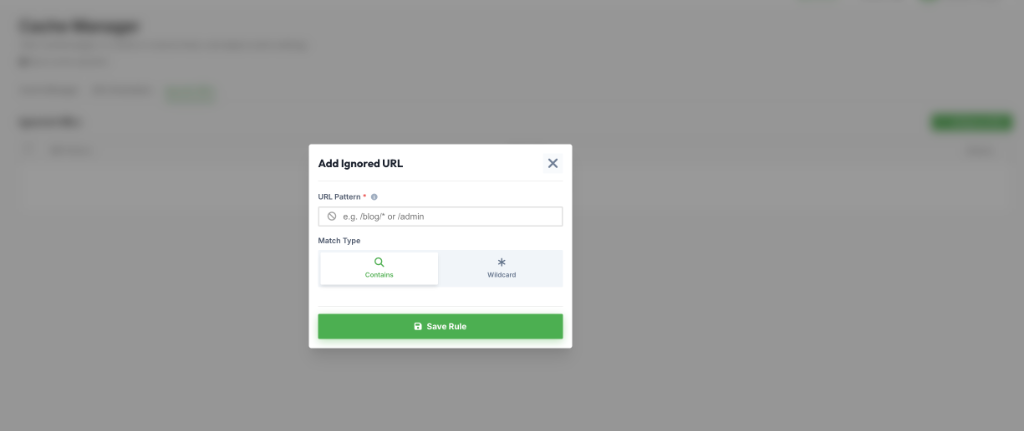
- Click Add Ignored URL.
- Enter a URL Pattern (e.g.,
/blog/*or/admin). - Select a match type: Contains or Wildcard.
Cache Expiration
Cache Expiration determines how often a page is re-cached.
- Short durations (6h – 1 day) → Best for frequently updated pages
- Long durations (7 – 30 days) → Ideal for static content
How to Set Cache Expiration
- Log in to your Index render account
- Navigate to Cache Manager
- Click Cache Settings
- Use the slider (6 hours – 30 days depending on plan)
- Click Apply
Cache Clear
Click the Cache Clear button to:
- Remove specific URLs using wildcard patterns
- Remove all cached URLs
Cache Manager Table
The table supports filtering, exporting, and searching.
- Content Age – Time since last cache
- URL – Cached address
- Device – Mobile or Desktop
- SEO Score – Evaluated against SEO best practices
- State – Cached, Caching, Recaching
- First Seen – Date first cached
- Source – Site, Sitemap, Recache API, CDN
- Last Crawled – Latest crawler access date
- Actions:
- Recache – Manually trigger a new render of the specific URL.
- Delete – Remove the URL and its cached pages entirely.